what it looks like
The app itself
 Launch screen
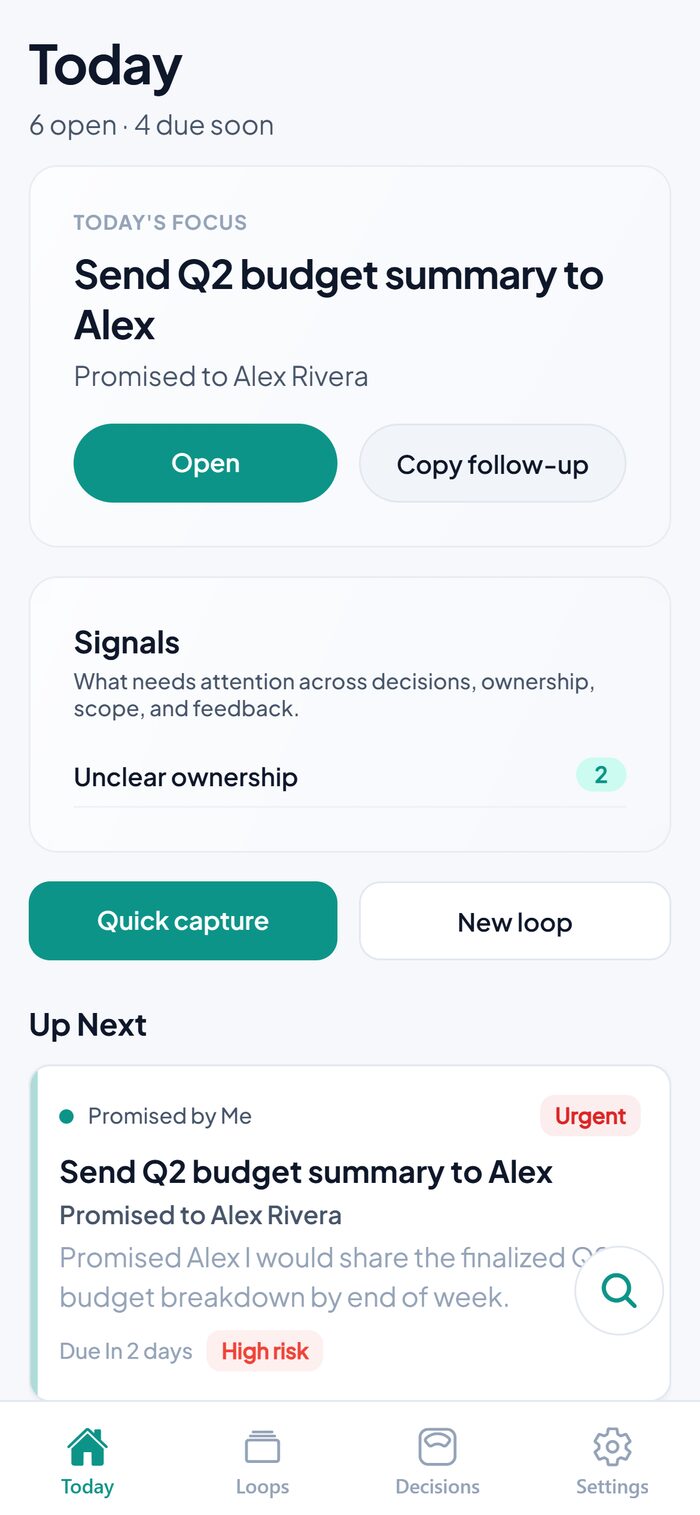 Today
Today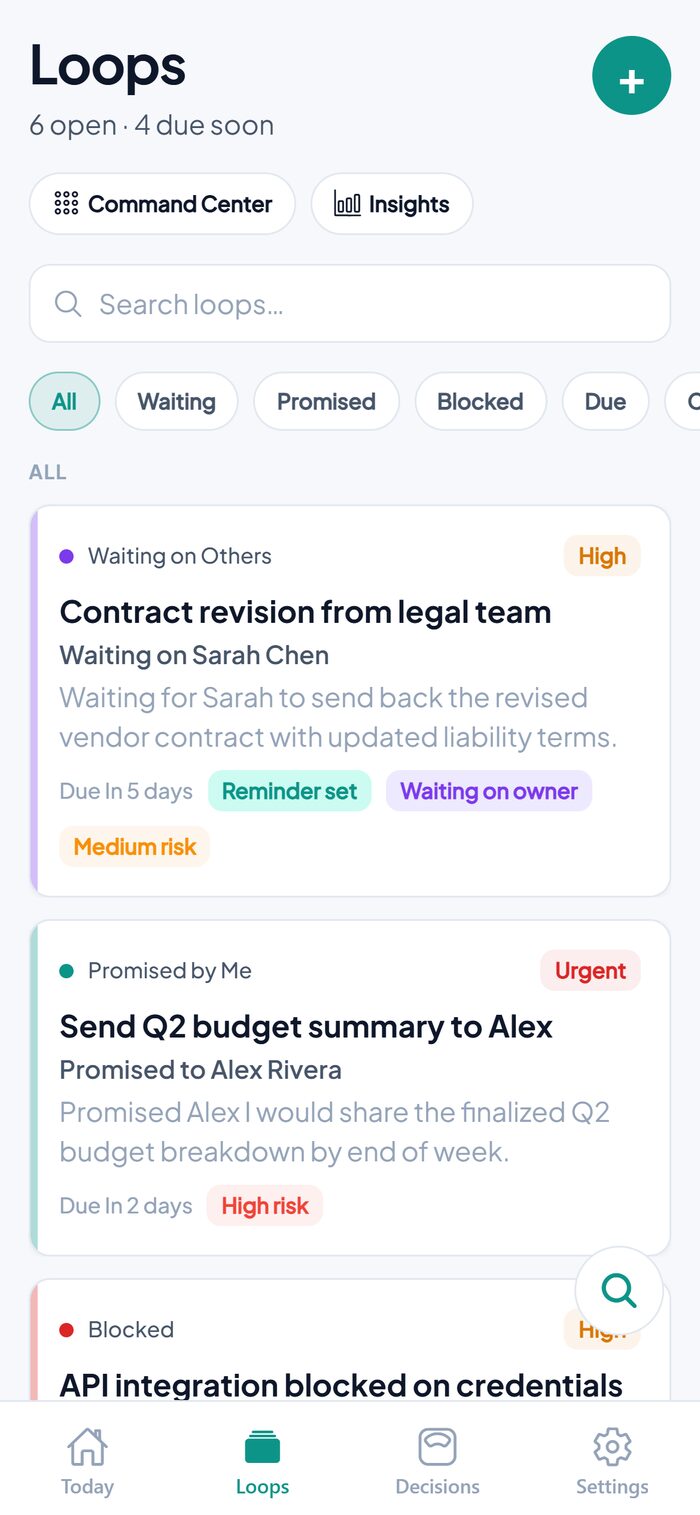 Loops
Loops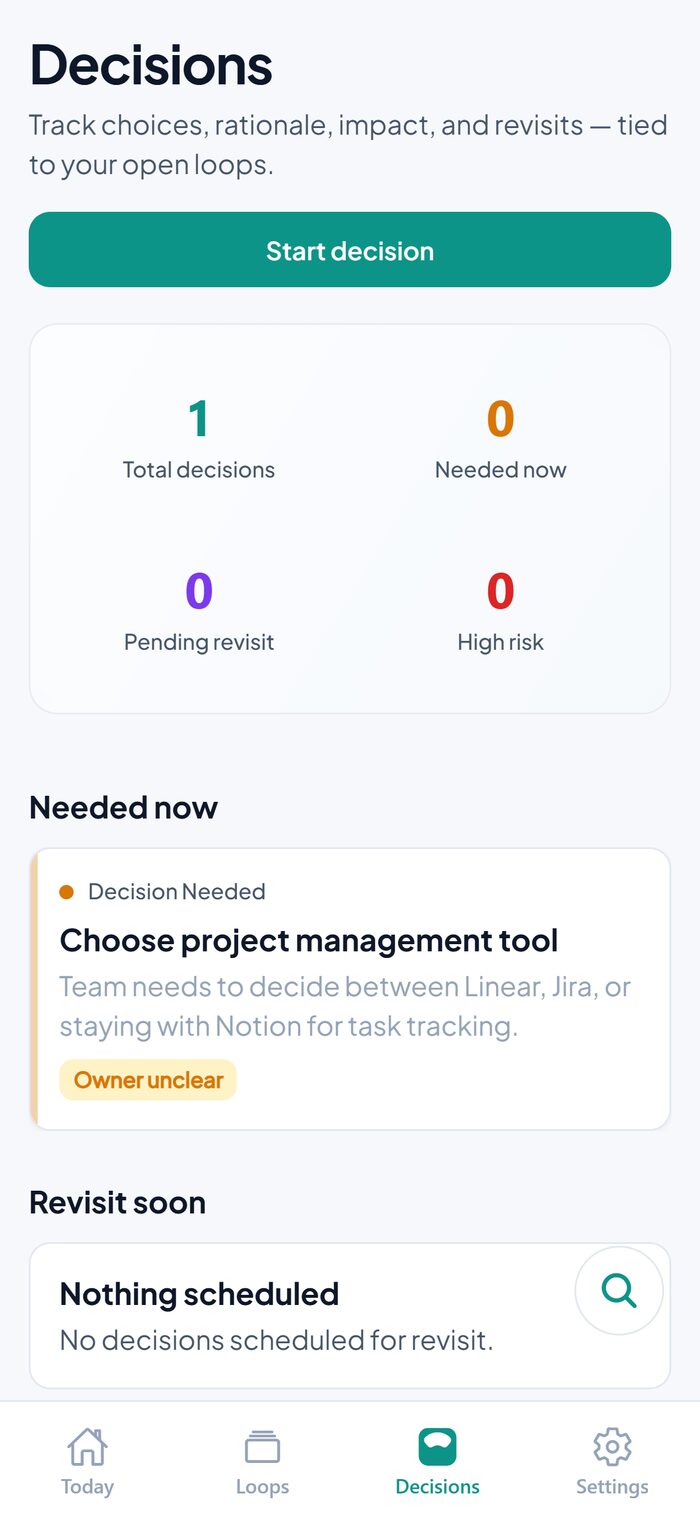 Decisions
case study · independent ios product
A private, local-first tracker for the follow-ups, blockers, commitments, and decisions that fall between tasks, notes, and calendar events.
what it looks like
Launch screenTodayLoopsDecisionsthe problem
Most productivity tools are built around tasks, calendars, notes, or team boards. But a lot of real work doesn't fit neatly into any of those buckets. It's waiting on someone, half-promised, blocked, or still an open decision. Those items are easy to lose in chats, email, notes, or memory, and they create the kind of background mental clutter that's hard to shake.
"I'm waiting for someone to respond."
"I promised I'd follow up."
"This decision is still open."
"This is blocked until someone else acts."
the solution
LoopTidy gives each of those unresolved items a home: a place to capture it before it's lost, track its status and owner, and move it toward closure. Instead of forcing waiting items, promises, and decisions into a generic task format, LoopTidy treats them as their own category (an open loop) with the structure that category actually needs.
I built it after noticing how much of my own project and product work (across operations, property projects, and app development) wasn't made of clean tasks. It was waiting items, promises, blockers, and decisions that needed a system of their own, not a to-do list with extra steps.
key features
Your focus loop, what's up next, key signals, and a weekly-review prompt, all in one view.
Create and edit loops with type, priority, risk, category, person, due date, and attachments. Then close, archive, reopen, or delete as things change.
Full context for each loop: timeline, notes, linked decisions, and local reminders in one place.
A dedicated space for open and resolved decisions, kept separate from ordinary tasks.
Search, filter, and sort across loops and related data to find anything fast.
On-device notifications, with permission requested only when you actually set a reminder.
Local export, backup, and restore, since there's no cloud account holding your data for you.
Capture defaults, reminder and snooze behavior, time format, week start, stale thresholds, and more, tuned to how you work.
System, light, or dark appearance, so the app matches how you already work.
Optional Face ID or passcode lock for an extra layer of privacy on top of your device's own security.
On the roadmap: Scope Guard and a Feedback-to-Decision pipeline are in active design. Both extend the same open-loop model to scope changes and incoming feedback.
product thinking
Local-first, not cloud-first
Follow-ups and decisions can be sensitive. For v1, privacy and simplicity mattered more than sync or collaboration.
No account system
Fewer moving parts, lower App Store review risk, and a privacy-first story that actually holds up.
Open loops, not tasks
A deliberate difference from Notion, Asana, or Todoist, built for the unresolved, in-between work those tools don't model well.
technical build
Local-first architecture throughout: SQLite for loops and core data, on-device storage for preferences, and local notifications for reminders, with no backend server and no remote push.
Product idea & positioning
MVP planning & local data model
Core screens, navigation & loop tracking
Decisions, follow-ups & reminders
Privacy-first settings
TestFlight prep, App Store readiness & QA
privacy by design
Privacy policy: haile-y-haile.github.io/Looptidy/privacy · Support: hello.hailelabs@gmail.com
my role
skills demonstrated
status
In TestFlight beta, build 33, preparing for App Store submission. Focus is on stability, usability, and App Store compliance ahead of a polished version 1 release.
let's talk